
Cybersecurity Basics for SMEs, Schools, and Charities
For SMEs, schools and charities, cybersecurity should be practical and repeatable.
Most organisations do not need to begin with a large security programme, advanced tools or complex policies. They need a small number of clear controls that reduce common operational risk and can be maintained as the organisation grows.
Cybersecurity becomes difficult when it is treated as a one-off project. A new security tool is purchased, a policy is written or a training session is delivered, but there is no clear owner, no routine review and no connection to day-to-day IT support.
The stronger approach is to build security into normal operations.
That means managing access properly, keeping devices secure, reducing email and sharing risks, helping users report suspicious activity and checking that backups can support recovery when needed.
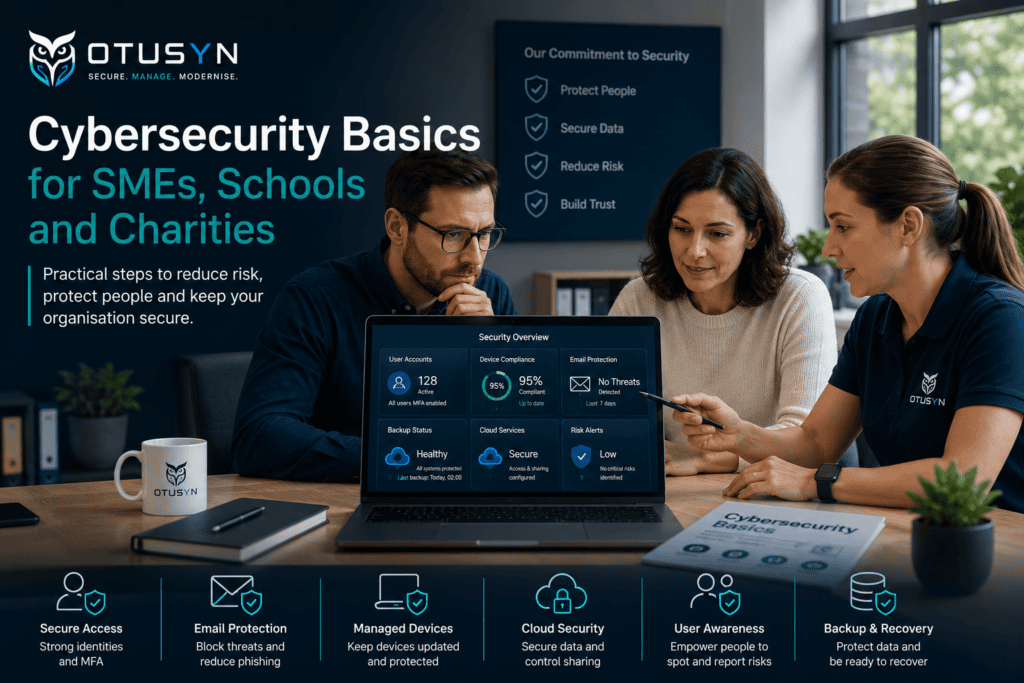
This guide explains the cybersecurity basics for SMEs, schools and charities, with a focus on practical controls that can become normal working habits.
Why cybersecurity basics matter most
Cybersecurity is often discussed in terms of major attacks, advanced threats and sophisticated tools.
However, many incidents begin with more familiar gaps.
A user account may not be protected properly. A former staff member may still have access. A device may be outdated or unmanaged. A suspicious email may not be reported quickly. Shared files may be available to more people than intended. A backup may exist, but recovery may never have been tested.
These are not always complicated technical failures.
They are usually day-to-day control gaps.
For SMEs, schools and charities, the most valuable security improvements are often the ones that make normal operations more reliable. A clear access process, managed devices, better email protection and a simple backup review can reduce risk without creating unnecessary overhead.
The objective is not to make work harder.
It is to create a safer, more manageable technology environment that supports the way people work.
Start with a practical cybersecurity baseline
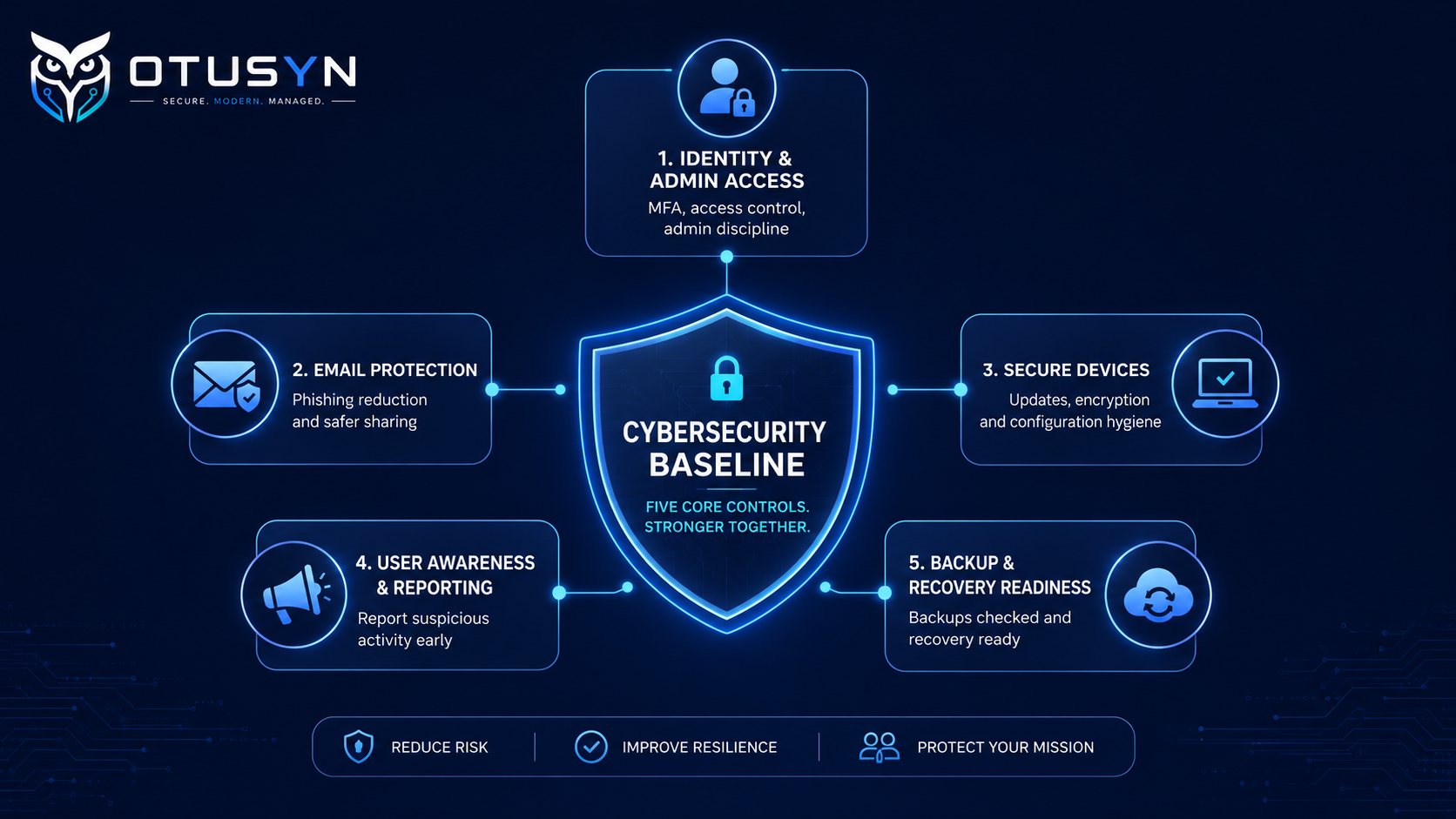
A cybersecurity baseline is a simple set of controls that every organisation should understand, manage and review.
It provides a foundation before more advanced security measures are considered.
For most SMEs, schools and charities, the baseline should cover:
- Identity and account security
- Administrator access
- Email and file-sharing controls
- Device updates and endpoint protection
- User reporting and awareness
- Backup and recovery readiness
- Clear ownership and review points
The baseline does not need to be identical for every organisation.
A school may need to consider staff, students, safeguarding requirements and shared devices. A charity may need to manage volunteers, donor information and limited IT resources. An SME may need to manage remote workers, customer data, cloud services and supplier access.
The principles remain the same.
Understand what is in use, identify who owns it and apply controls that are realistic to maintain.
Identity and admin access discipline
User accounts are the front door to most business systems.
Email, cloud storage, collaboration platforms, finance tools, customer systems and device management tools are usually accessed through a user identity. If an account is compromised, an attacker may be able to access information, send fraudulent messages or make changes to business systems.
For this reason, identity security should be one of the first priorities.
A practical identity baseline includes:
- Named user accounts instead of shared logins
- Multi-factor authentication for cloud accounts
- Strong and unique passwords
- Prompt removal of leaver access
- Regular review of inactive accounts
- Clear approval for access requests
- Limited administrator access
- Separate admin accounts where appropriate
Multi-factor authentication is one of the most effective basic controls because it reduces the risk of an attacker accessing an account using only a stolen or guessed password.
However, MFA should not be treated as a one-time task.
New users join. Accounts change. Temporary access is granted. Old accounts may remain active. Admin roles may be assigned for convenience.
This means account security should be reviewed regularly.
A simple monthly check can confirm:
- Which users do not have MFA enabled
- Whether former staff accounts are still active
- Who has administrator access
- Whether shared accounts still exist
- Whether supplier access is still needed
- Whether access is appropriate for current roles
Read more: Why Multi-Factor Authentication Matters for Growing Organisations
Reduce email and sharing risk
Email remains one of the most common ways that organisations experience fraud, phishing attempts and accidental data sharing.
Users may receive messages that appear to come from a colleague, customer, supplier, bank or senior leader. The message may ask them to click a link, reset a password, open an attachment, approve a payment or share information.
The answer is not simply to tell users to “be careful.”
A stronger approach combines technical controls with practical working habits.
A useful email and sharing baseline includes:
- Multi-factor authentication for email accounts
- Spam and phishing protection
- Clear reporting routes for suspicious emails
- Review of mailbox forwarding rules
- Restricted use of shared accounts
- Clear ownership of shared mailboxes
- Appropriate external sharing settings
- Review of guest access to files and collaboration spaces
- Guidance on sharing sensitive documents
For Microsoft 365 users, this may include reviewing Exchange Online, Microsoft Defender, SharePoint, Teams and Entra ID settings.
For Google Workspace users, this may include reviewing Gmail protections, Google Drive sharing defaults, external collaboration controls and administrator permissions.
The platform is important, but the working practices around it matter just as much.
People should know where important documents belong, how to share them safely and what to do if they receive a suspicious request.
Endpoint update and configuration hygiene
Laptops, desktops, tablets and mobile phones are part of the organisation’s security posture.
A device that is out of date, unmanaged, unencrypted or shared without clear controls can create unnecessary risk. This is especially important for organisations supporting remote work, flexible working, shared environments or staff who move between locations.
A practical endpoint baseline should include:
- A record of active devices
- Clear device ownership
- Supported operating systems
- Regular software updates
- Endpoint protection or antivirus
- Disk encryption
- Screen lock and password or PIN controls
- A process for lost or stolen devices
- Secure device setup for new starters
- Device return and review for leavers
The aim is not to create a complex device-management programme immediately.
The first step is visibility.
You should be able to answer:
- Which devices are active?
- Who is using each device?
- Are they up to date?
- Are they protected?
- Are they assigned to current users?
- Can they be recovered, locked or wiped if lost?
- Are they suitable for the information they access?
As the organisation grows, endpoint management can help apply consistent settings across devices and reduce dependence on individual user behaviour.
Explore OTUSYN Endpoint Management for support with device standards, compliance and security controls.
Help users report suspicious activity
Users are an important part of the security model.
They are often the first people to notice a suspicious email, unusual sign-in prompt, lost device, unexpected file-sharing request or unusual behaviour from a supplier contact.
The organisation should make it easy for users to report concerns.
A useful reporting process should answer:
- Who should users contact?
- What should they report?
- How quickly should they report it?
- What should they do if they clicked a suspicious link?
- What should they do if they receive an unexpected MFA prompt?
- What should they do if a device is lost?
- What happens after they report something?
The reporting route does not need to be complicated.
It may be a shared support email address, a service desk, a Microsoft Teams channel or a named IT contact. The important point is that users know the route and trust that they will receive help.
Avoid creating long policies that people do not read.
Instead, give users simple examples:
- “Do not approve an MFA request you did not start.”
- “Report suspicious emails using the support route.”
- “Tell IT immediately if a work device is lost.”
- “Check unusual payment or bank-detail changes through a second trusted channel.”
- “Do not share sensitive documents using personal accounts or unapproved tools.”
Short practical guidance is often more effective than one large annual training session.
Backup and recovery readiness checks
Backups are important, but they should be viewed as part of a recovery plan rather than a simple technical task.
An organisation should understand what information is backed up, who checks backup status and how recovery would work if data became unavailable.
A practical backup and recovery review should ask:
- What systems are backed up?
- Are shared files included?
- Are cloud files included?
- Are mailboxes included where needed?
- How often do backups run?
- How long is information retained?
- Who checks that backups are successful?
- Has recovery been tested?
- How quickly could important information be restored?
A backup that has never been tested may not provide the confidence the organisation expects.
A simple recovery test can be valuable. Restoring a file, folder or mailbox item can help confirm that the process works and that the right people know what to do.
For schools and charities, this may be especially important where important records, safeguarding information, financial information, learner data or donor information is involved.
The goal is not to test every possible disaster scenario at once.
It is to build confidence that the organisation can recover important data when it matters.
Turn cybersecurity controls into habits
Security improvement is more effective when it becomes part of everyday operations.
A control that exists only in a document is unlikely to reduce risk consistently.
For example:
- MFA should be part of onboarding
- Access removal should be part of leaver processes
- Device checks should be part of support operations
- Backup reviews should be scheduled
- Suspicious-email reporting should be easy
- External sharing should have clear ownership
- Admin access should be reviewed regularly
- Security issues should appear in service reviews
This approach keeps cybersecurity connected to how the organisation works.
It avoids the situation where security becomes a disconnected project that is revisited only after an incident.
A useful way to embed controls is to assign ownership.
| Control area | Suggested owner |
|---|---|
| User onboarding and MFA | IT support or administrator |
| Access approval | Line manager or system owner |
| Administrator roles | IT manager or security owner |
| Shared mailboxes and Teams | Business owner or department lead |
| Device standards | IT support or endpoint owner |
| Backup checks | IT provider or infrastructure owner |
| Suspicious activity reporting | All staff, with IT support response |
| Security review actions | Named action owner |
The organisation does not need a large internal security department.
It needs clear responsibilities and a manageable routine.
Create a simple review rhythm
Cybersecurity should be reviewed regularly, but the review does not need to be heavy.
For many SMEs, schools and charities, a simple rhythm can work well.
Monthly checks
- MFA coverage
- New and removed user accounts
- Admin role changes
- Device compliance or update status
- Suspicious activity reports
- Backup status
- Outstanding security actions
Quarterly checks
- Access reviews
- External guest access
- Shared mailbox access
- File-sharing settings
- Supplier access
- Documentation updates
- Security training or user reminders
Trigger-based checks
Carry out a review when:
- A staff member leaves
- A role changes
- A device is lost
- A supplier contract ends
- A new cloud service is introduced
- A security incident occurs
- A major change is made to Microsoft 365 or Google Workspace
This gives the organisation a practical routine without creating unnecessary administration.
Common cybersecurity mistakes to avoid
Adding tools before understanding the problem
New security tools can be useful, but they do not automatically solve unclear ownership, weak onboarding or unmanaged access.
Start by understanding the current environment and improving the basics.
Treating security as an IT-only responsibility
IT teams manage technical controls, but staff and managers also play a role in reporting concerns, approving access and following agreed processes.
Using shared accounts for convenience
Shared accounts reduce accountability and make access removal more difficult. Use named accounts wherever possible.
Forgetting to remove access after role changes
Access should be reviewed when people move roles, not only when they leave the organisation.
Leaving backups untested
A backup is only useful if recovery works when it is needed.
Making controls too difficult to follow
Security controls should be proportionate. If users cannot understand or work with them, they may create workarounds that increase risk.
A practical cybersecurity basics checklist
Use this checklist as a starting point:
Identity and access
- All active users have named accounts
- MFA is enabled for cloud accounts
- Administrator access is limited and reviewed
- Shared accounts are removed or tightly controlled
- Leaver access is removed promptly
- Access requests have clear approval owners
Email and sharing
- Email phishing protection is enabled
- Users know how to report suspicious emails
- Shared mailboxes have named owners
- External sharing settings are reviewed
- Guest access is reviewed regularly
- Sensitive files are not shared through unapproved channels
Devices
- Active devices are recorded
- Devices are assigned to current users
- Operating systems are supported and updated
- Endpoint protection is active
- Disk encryption is enabled where appropriate
- Lost-device procedures are documented
Backup and recovery
- Important systems and files are backed up
- Backup status is reviewed
- Recovery responsibilities are clear
- A recovery test has been completed
- Recovery gaps have an owner and target date
People and process
- Staff know how to report suspicious activity
- Onboarding includes security guidance
- Leaver processes include access removal
- Security responsibilities are documented
- Monthly review points are in place
Frequently asked questions
What are the most important cybersecurity basics for an SME?
The key starting points are multi-factor authentication, controlled admin access, secure email, managed devices, clear reporting routes, backups and regular access reviews.
Do schools and charities need the same cybersecurity controls as businesses?
The exact priorities may differ, but the basic controls are similar. Schools and charities still need secure accounts, protected devices, safe sharing, backup readiness and clear ownership.
Do we need expensive cybersecurity tools?
Not always. Many improvements can be made by configuring existing Microsoft 365, Google Workspace, endpoint protection and backup tools more effectively. The first priority is understanding what is already in place.
How often should cybersecurity controls be reviewed?
A monthly review of core controls is practical for many organisations, with deeper quarterly reviews for access, sharing, suppliers and documentation.
What should we do first if priorities are unclear?
Start with a short cybersecurity essentials review. Identify the most important risks, assign ownership and create a realistic improvement sequence.
Start with cybersecurity essentials
Cybersecurity does not need to become overwhelming.
For SMEs, schools and charities, the most useful improvements are often the basics done consistently: protected accounts, secure devices, safer email, clear reporting, tested backups and defined ownership.
The goal is not to introduce controls that teams cannot maintain.
It is to reduce common risk through practical habits that fit normal operations.
OTUSYN helps growing organisations, schools and charities review cybersecurity essentials, identify practical gaps and create realistic improvement plans.
Explore OTUSYN Cybersecurity Support Book an IT Current-State Assessment